You typed your password three times. Facebook locked you out. Now you’re staring at a login screen, locked out of your own account, wondering if you’ll ever get back in. It feels worse than it should — especially if that account holds years of memories, your marketplace listings, or a business page you manage. The good news: Facebook gives you multiple ways back in, and at least one of them will work for you. This guide walks you through every option, step by step.
⚡ Quick Answer
Go to the Facebook login page and tap Forgotten password? Enter your email, phone number, or name. Facebook will send a reset code to your email or phone. Enter the code, create a new password, and you’re back in. The whole process takes under two minutes if your contact info is up to date.
How to Reset Your Facebook Password (Step-by-Step)
On Mobile (iPhone or Android)
- Open the Facebook app and tap Log in.
- Tap Forgotten password? below the password field.
- Type your email address, phone number, or full name linked to your account.
- Tap Search.
- Facebook shows your account. Tap Continue.
- Choose how you want your reset code sent — email or SMS text.
- Tap Send code.
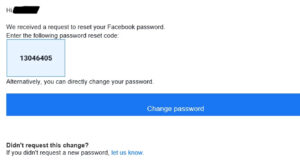
- Check your inbox or messages. Enter the 6-digit code on the next screen.
- Tap Continue, then create a new password.
- Tap Continue again to log in with your new password.
On Desktop (Browser)
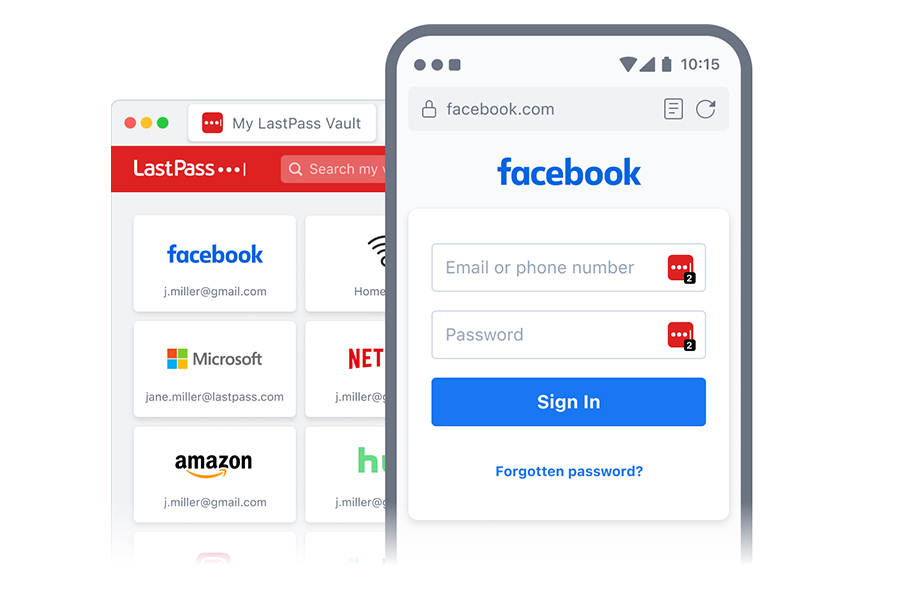
- Go to facebook.com and click Forgotten password? under the login fields.
- Enter your email, phone number, or name and click Search.
- Confirm your account is shown, then click Continue.
- Select Send code via email or Send code via SMS.
- Click Send code, then enter the code from your email or phone.
- Click Continue and set your new password.
- Click Continue to finish logging in.
Why This Happens
Facebook uses your password as the only key to your account — it doesn’t store a backup version anywhere you can peek at. This happens because password encryption is one-way by design. When you forget your password, Facebook can’t retrieve the old one; it can only replace it with a new one after verifying your identity.
What to Do If the Reset Code Never Arrives
Check your spam or junk folder first. Facebook’s emails sometimes land there, especially if you use Gmail or Outlook with aggressive filters. Wait two full minutes before requesting another code — sending too many requests can temporarily delay delivery.
Didn’t get a text either? Make sure the phone number on your account is the one you currently own and can receive texts on. If you switched carriers or got a new number, that old number won’t work.
None of your contact info works anymore? Tap No longer have access to these? on the reset screen. Facebook will ask you to verify your identity through a photo ID or trusted contacts. This process can take a few days, but it’s your best path forward.
Pro Tips
- Save your reset code immediately. The 6-digit code expires in about 10 minutes. Don’t close the Facebook tab before you enter it.
- Add a backup email and phone number now. Go to Settings & Privacy → Settings → Personal Information → Contact info. Two contact methods mean two chances to recover your account later.
- Turn on two-factor authentication after resetting. Go to Settings → Security and Login → Two-Factor Authentication. It adds one extra login step — and makes your account nearly impossible to lose again.
- Log in from a device Facebook already recognizes. If you’ve logged into Facebook on that phone or laptop before, Facebook may let you reset your password with fewer verification steps.
- Screenshot your Trusted Contacts list. Under Settings → Security and Login → Choose 3 to 5 friends, you can set up people who can help verify your identity. Set this up before you ever need it.
FAQs
Can I reset my Facebook password without an email or phone number? Yes — but it’s harder. On the reset screen, tap No longer have access to these? Facebook will walk you through identity verification using a government-issued ID. The process takes anywhere from a few hours to a few days.
Why does Facebook say my reset code is invalid? Codes expire fast — usually within 10 minutes. This happens because Facebook generates time-sensitive tokens for security. Request a fresh code and enter it immediately without navigating away from the page.
What if I don’t recognize the account Facebook found when I searched my name? This happens when multiple accounts share similar names or contact details. Tap This isn’t my account and search again using a different piece of contact info — your phone number instead of your name, for example.
Can someone else reset my password without my phone or email? No. Facebook requires access to a verified contact method or a government ID to reset any password. If you’re seeing unauthorized changes to your account, report it immediately using facebook.com/hacked.
How long does Facebook lock me out after too many failed login attempts? Facebook typically locks the login for a short cooldown — usually 15 to 30 minutes. You don’t lose your account. Wait it out, then use the Forgotten password? reset flow instead of guessing again.
You’ve Got This
Getting locked out of Facebook is annoying, but it’s fixable — and you now have every tool to handle it. Work through the steps above in order, and don’t skip straight to the identity verification process if a simple code reset can get you back in faster. Once you’re back in, take five minutes to add a backup contact method. Future you will be grateful.